How to Turn an Image Into Minecraft Pixel Art
This Minecraft pixel art guide shows you how to turn an image into Minecraft pixel art with cleaner sizing, better palettes, smarter edits, and exports that fit your build workflow.
1) Choosing the Right Image
High-contrast images with clear subjects convert best. Prefer simple backgrounds, distinct edges, and balanced exposure. Portraits, logos, and icons are ideal.
- Lighting: avoid underexposed or blown highlights.
- Contrast: boosted contrast typically yields cleaner edges.
- Composition: centered subjects are easier to crop and scale.
2) Sizing & Palettes
Start with modest dimensions, then scale up. The “= blocks” counter helps estimate resource needs. Choose a palette mode:
- All: full color coverage; best quality.
- Survival: excludes blocks not easily obtainable.
- Custom: hand-pick blocks via search and checkboxes.
Keep Height ≤ 256 unless you explicitly ignore the in‑game limit. Cropping lets you frame the subject and remove clutter.
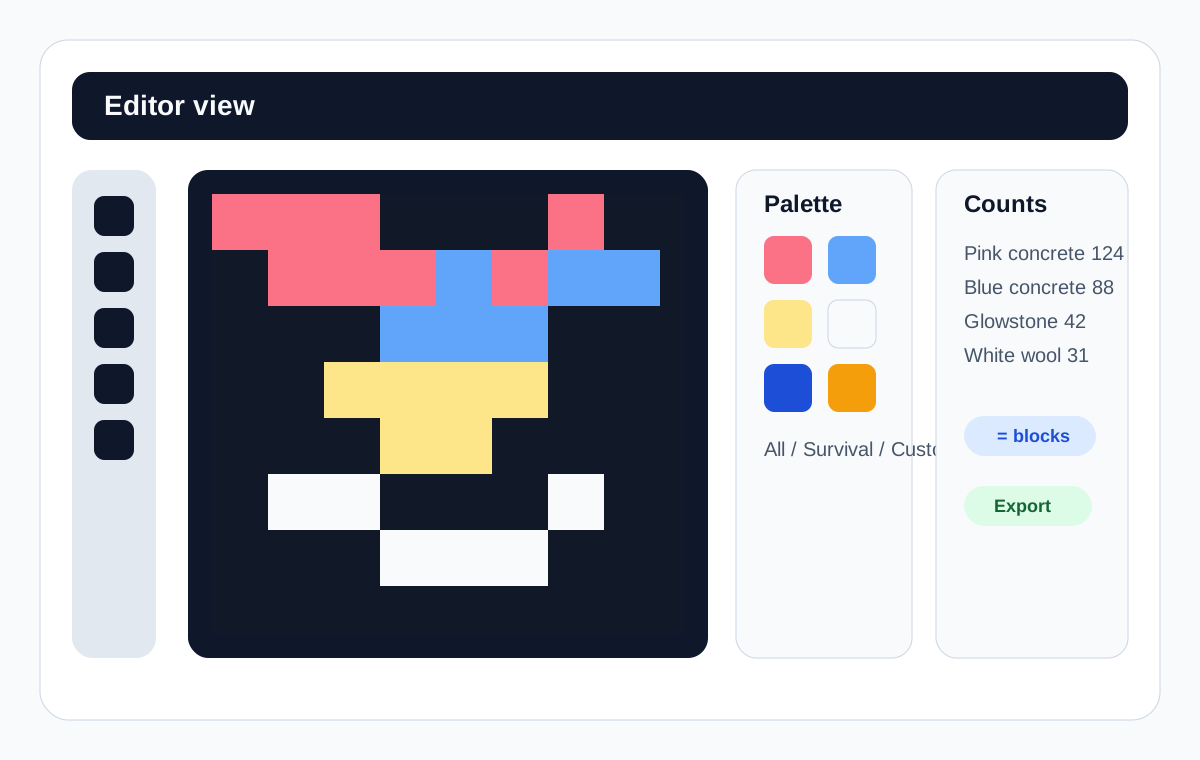
3) Using the Editor
Open the full editor here: Classic Editor. For the quick version of the flow, read the Getting Started tutorial.
- Tools: P (Pencil), B (Brush), U (Bucket), E (Eyedropper), Z (Zoom), G (Grab), O (Original toggle)
- Shortcuts: Ctrl+Z / Ctrl+Y (Undo/Redo), [ / ] (Brush size), Arrow keys to pan
- Right panel: tuned to avoid wrapping and remain visible
4) Manual Method (No Tool)
If you prefer a fully manual approach, use a pixel grid plan. Sketch a 16×16 or 32×32 lattice, sample average colors per cell, and map to the closest blocks (e.g., concrete/wool variants).
5) Examples
- 2D portrait: base layer → darkest to lightest → symmetry checks.
- Minimal logos: fewer colors, crisp edges, faster builds.
6) Common Pitfalls
- Resolution too high → excessive materials. Start smaller.
- Night lighting shifts perceived color → test in daylight.
- Java vs Bedrock color differences → pick consistent references.
FAQ
What size should I use? Start at 64–96 px on the short edge, then adjust based on material budget and clarity.
What palette is best? Concrete for saturation, wool for texture. Mix as needed; Survival mode balances availability.
How do I bring results in-game? Export as .mcfunction or Command Block, or build manually with the counts table.
Open the Classic Editor → · Back to Tutorials · Schematics Guide